
Academics
Everything that happens in a classroom, kept in one place
Classes and subjects, the timetable, the calendar, attendance, homework and assignments, notes and slides, progress reports and Montessori journeys — set up once by the office, used every day by teachers and families.
क · 01
Classes, sections and subjects
Set the school up once: each class with its sections, the subjects it studies, and who takes an optional one. Colleges get faculties and programs, with terms or semesters inside each year.
- A class teacher for every section
- Optional subjects chosen student by student
- Faculties, programs and semesters for colleges
- Academic years kept apart from financial years — each closes on its own
- Class teacher
- Ramesh Adhikari
- Students
- 32
- Subjects
- 8 · 1 optional
- House split
- 8 · 8 · 8 · 8
- Room
- 12
क · 02
Timetables built once, not re-typed every term
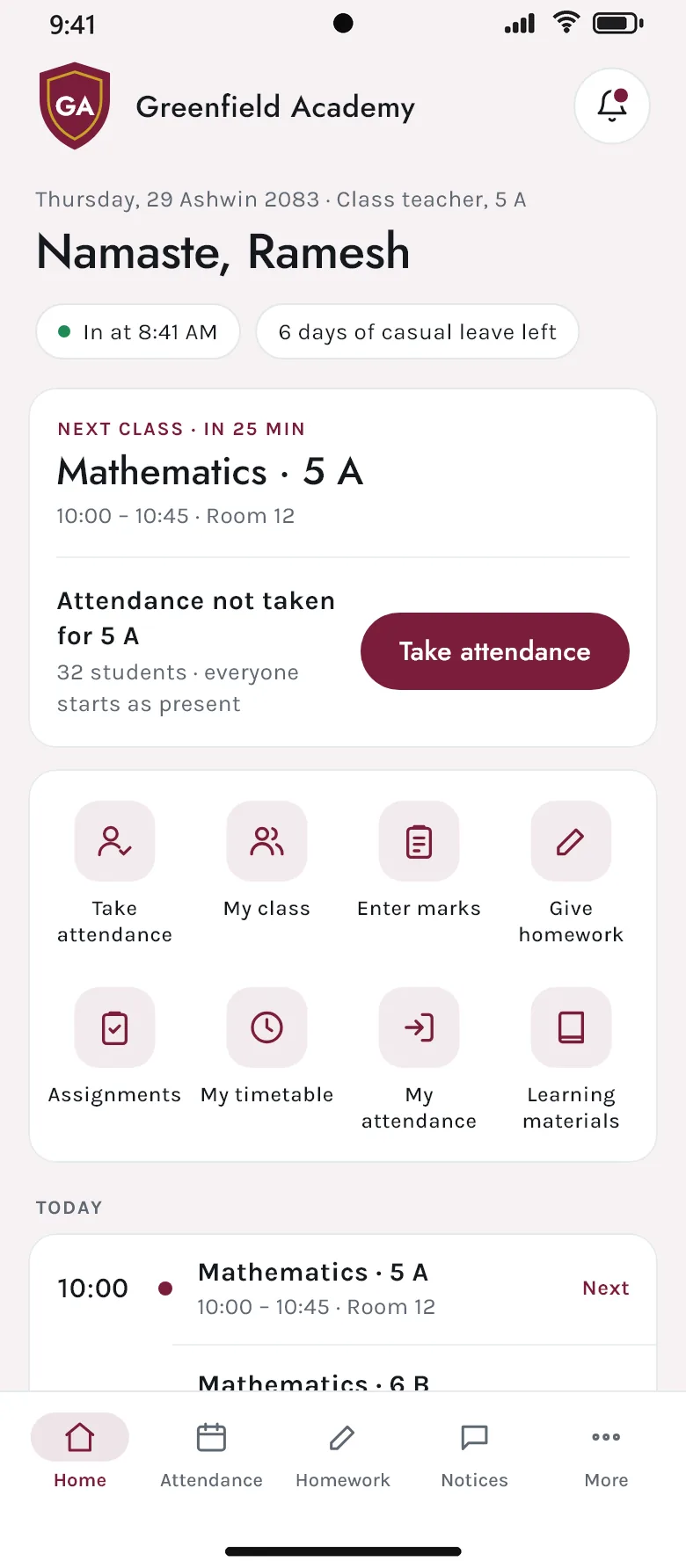
Rooms, periods and the school week go in once, and each class’s timetable is built on top of them, then printed in the school’s design. Every teacher has their own teaching week — on the website and as the next class on their phone.
- Rooms, periods and working days set once
- A class’s week, ready to print
- Each teacher’s own week, and their next class on the phone’s home screen
- Families see their child’s timetable in the app
- 10:00
- Mathematics · Room 12
- 10:45
- English · Room 12
- 11:30
- Science · Lab 2
- 12:15
- Lunch
- 13:00
- Nepali · Room 12
क · 03
Attendance taken on the phone
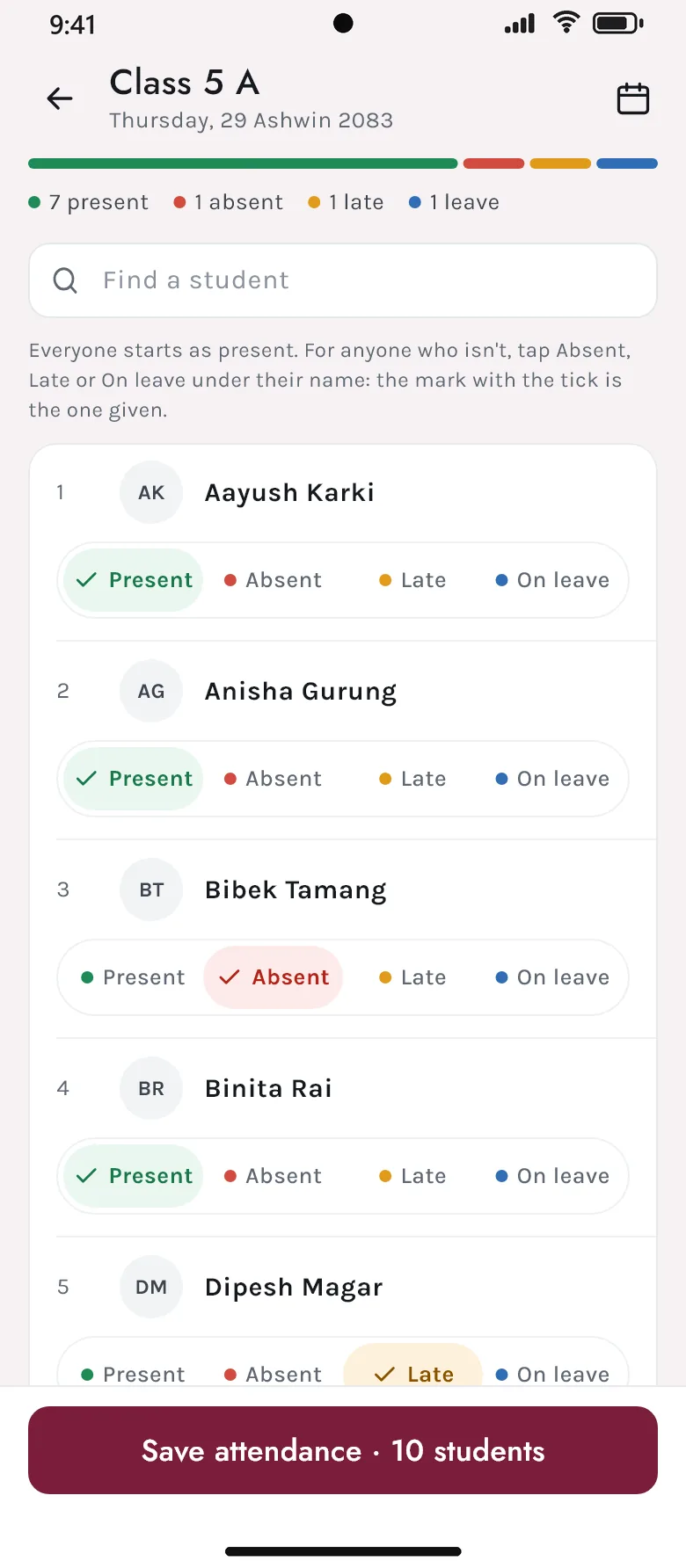
The class teacher takes the roll from their phone: everyone starts as present, and a tap marks a student absent, late or on leave. An earlier day can be put right later, and each family sees their child’s month at a glance.
- Four marks: present, absent, late, on leave
- A day corrected afterwards, with who changed it kept
- Each child’s month and days at school, for the family
- Late and on-leave counted apart from absent
क · 04
One academic calendar, in Bikram Sambat
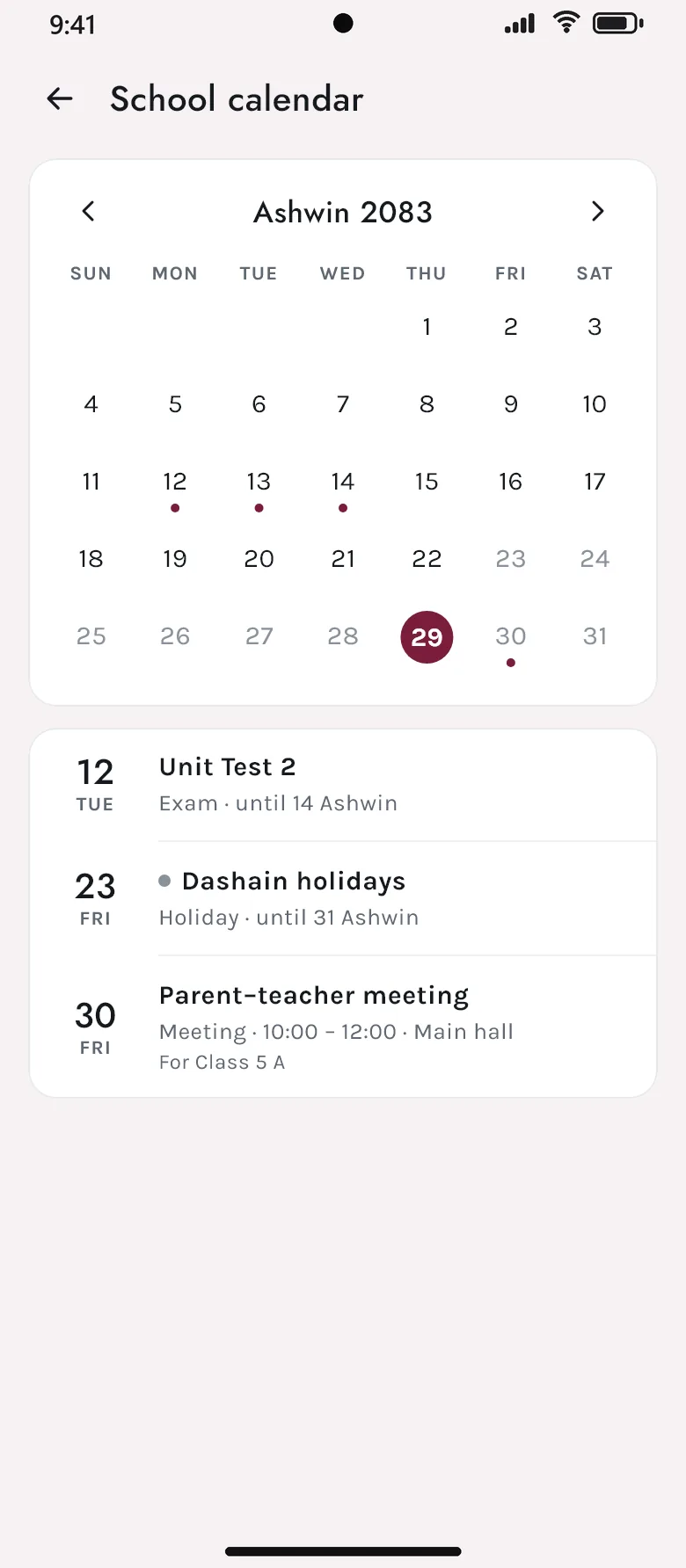
Holidays, exams, meetings and events go on one calendar. Families see it in the app, so nobody needs to phone the office to ask whether Friday is a holiday.
- Holidays, exams and events in one place
- Shown in the school’s own calendar and month names
- Coming up on the parents’ home screen
क · 05
Homework, assignments and learning materials
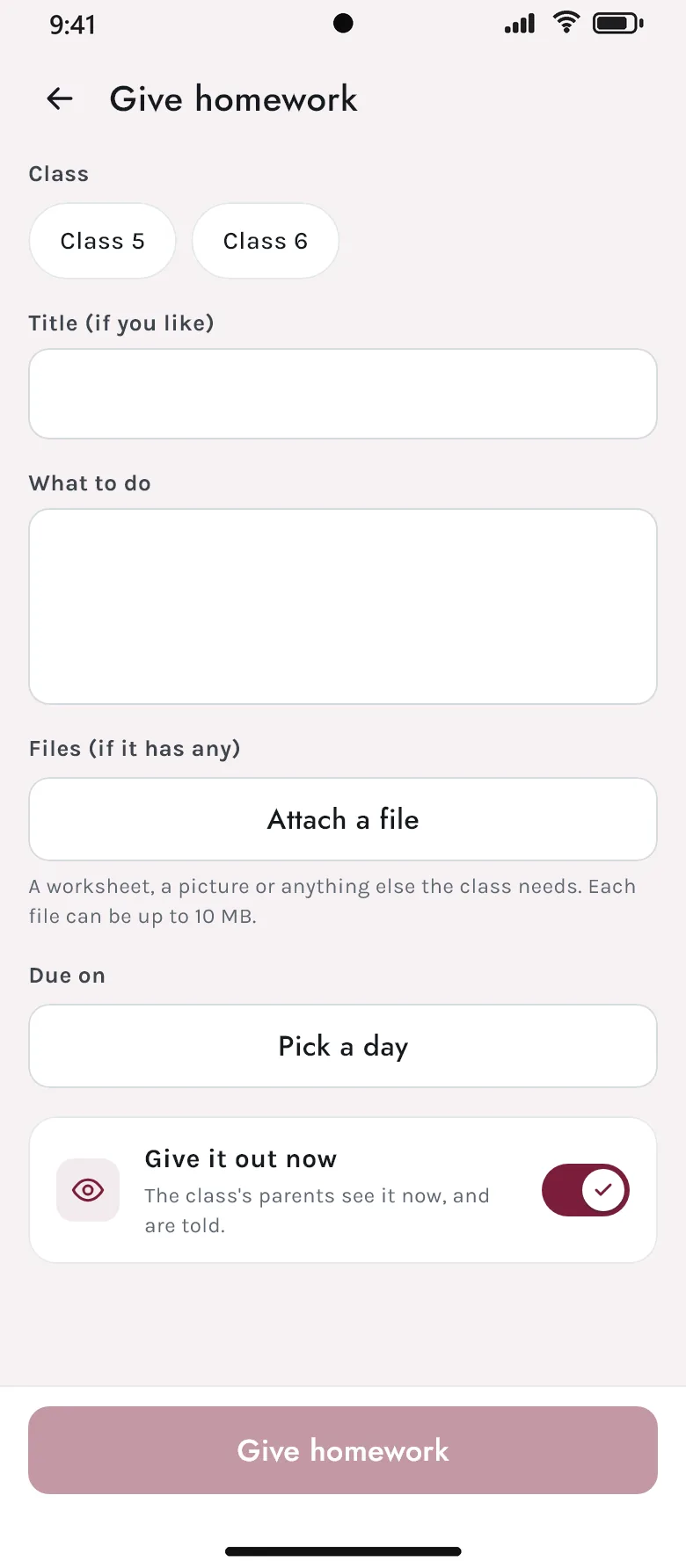
Teachers give homework with what to do and the files that go with it, set assignments and mark the work handed in, and share notes, slides, videos and links. Each family sees only their own children’s work.
- Homework in rich text with attached files — from the website or the teacher’s phone
- Assignments marked out of a total, with the work students hand in
- Notes, slides, videos and links, by class and subject
- Given out at once, or saved until it is ready
क · 06
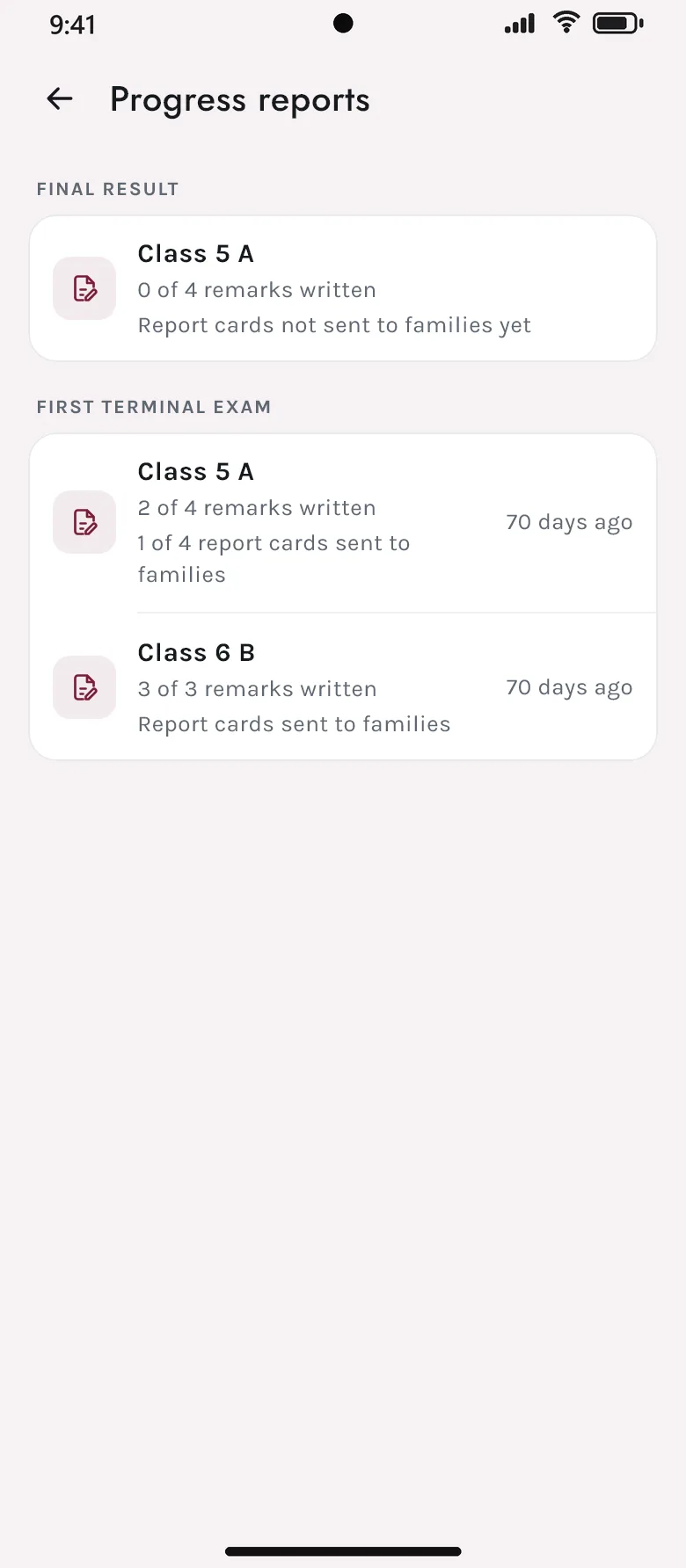
Progress reports and personality traits
Class teachers write remarks for each student and send the reports to families when they are ready. Qualities like punctuality or teamwork are graded on the school’s own scale, kept apart from exam marks.
- Remarks written for a whole class, sent when ready
- Traits graded on the school’s own scale
- Reports read by families on their phones
क · 07
Montessori, the Montessori way
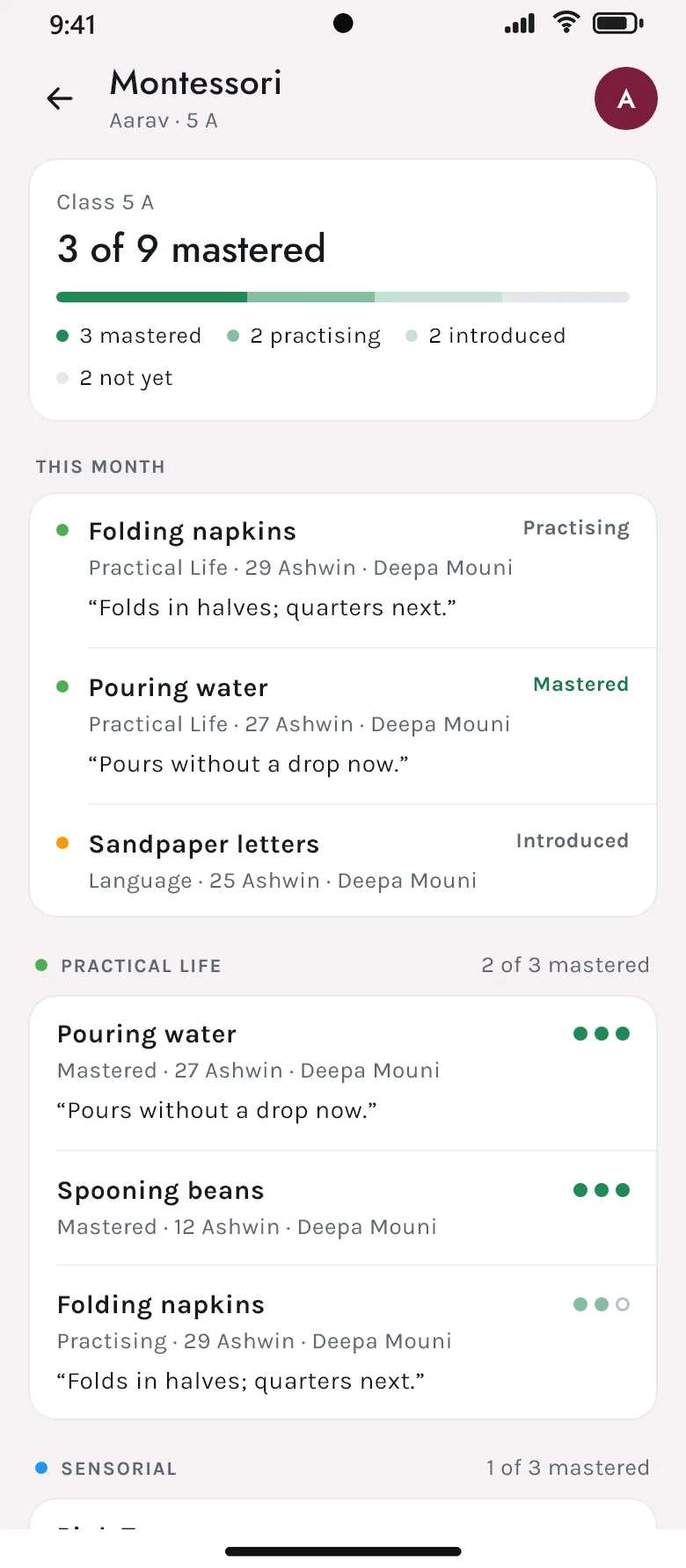
For schools with Montessori classes: the school sets its own areas and activities, teachers record each child as introduced, practising or mastered with a note, and parents follow the journey on their phone.
- The school’s own areas and activities
- Introduced, practising, mastered — with the teacher’s words
- A child’s journey for the family, month by month
क · 08
Promotions and the end of the year
At the end of the year students move up in one go — those who have left are left out — and the academic year is closed so the next one starts clean. Colleges move students between terms the same way.
- A class promoted in one pass
- Leavers never promoted by mistake
- The year closed and the next opened
- Students with no class yet, found and placed
- Class 5 A → 6 A
- 30 students
- Left the school
- 2 · not promoted
- Suspended
- 1 · on the list
- Families told
- by email and the app
Keep exploring
The rest of Akshara
See Akshara with your own school’s classes and fees
Bring your class list, fee structure or exam routine — we will show you the screens your office, teachers and parents would use, in Bikram Sambat and in rupees.