
Notices, messages & prints
Every message reaches the family — and you can see that it did
Notices, reminders and receipts go out by email, text message, the app’s bell and a push to the phone. Families write to teachers and the office in one place, and everything the school prints carries its letterhead.
च · 01
Notices, with their files
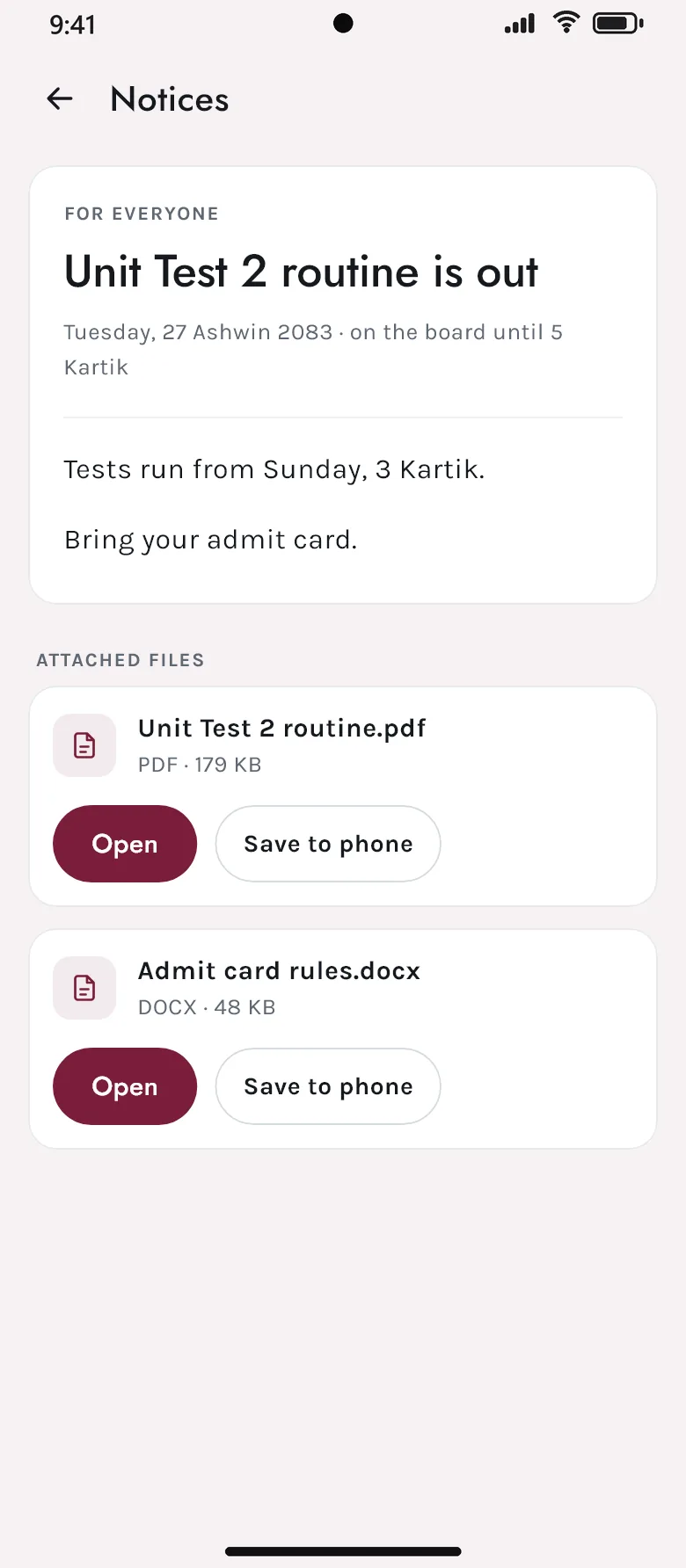
Post a notice for everyone, or only for parents, teachers or students — in rich text with tables and pictures, and with files attached. A notice set for a later day goes out on that day, once.
- For everyone, or one group
- Rich text, pictures and attached files
- Told on the day it goes up — and only once
- For
- Parents · Class 5
- Title
- Unit Test 2 routine is out
- Files
- Routine.pdf · Admit card rules.docx
- Shows from
- Today, 27 Ashwin
च · 02
Email, text, the bell and the phone
The school chooses which notifications go and how — email, SMS, the app’s bell, a push to the phone — and what each says. Emails carry the school’s letterhead and signature, and an invoice can travel as a PDF. They go through the school’s own email and SMS accounts, or ours, with a second account taking over if one runs out.
- Each notification switched on or off, by email, SMS or the app
- The wording, the letterhead and the signature
- Invoices attached as PDFs
- A second sending account takes over if one fails
- 412 sent
- The app’s bell
- 380 shown
- Push to phones
- 371 delivered
- Text message
- 96 sent
च · 03
Proof of what was sent
Every message is kept with whom it went to, how, and whether it arrived. One that failed can be sent again, and a period’s messages can be counted and exported.
- Send history for every message
- Failed messages sent again
- Delivery reports, exported to Excel
- Messages
- 18,420
- Delivered
- 99.6%
- Failed
- 74 · 61 sent again
- Busiest
- Fee due reminder
च · 04
Families and the school, talking
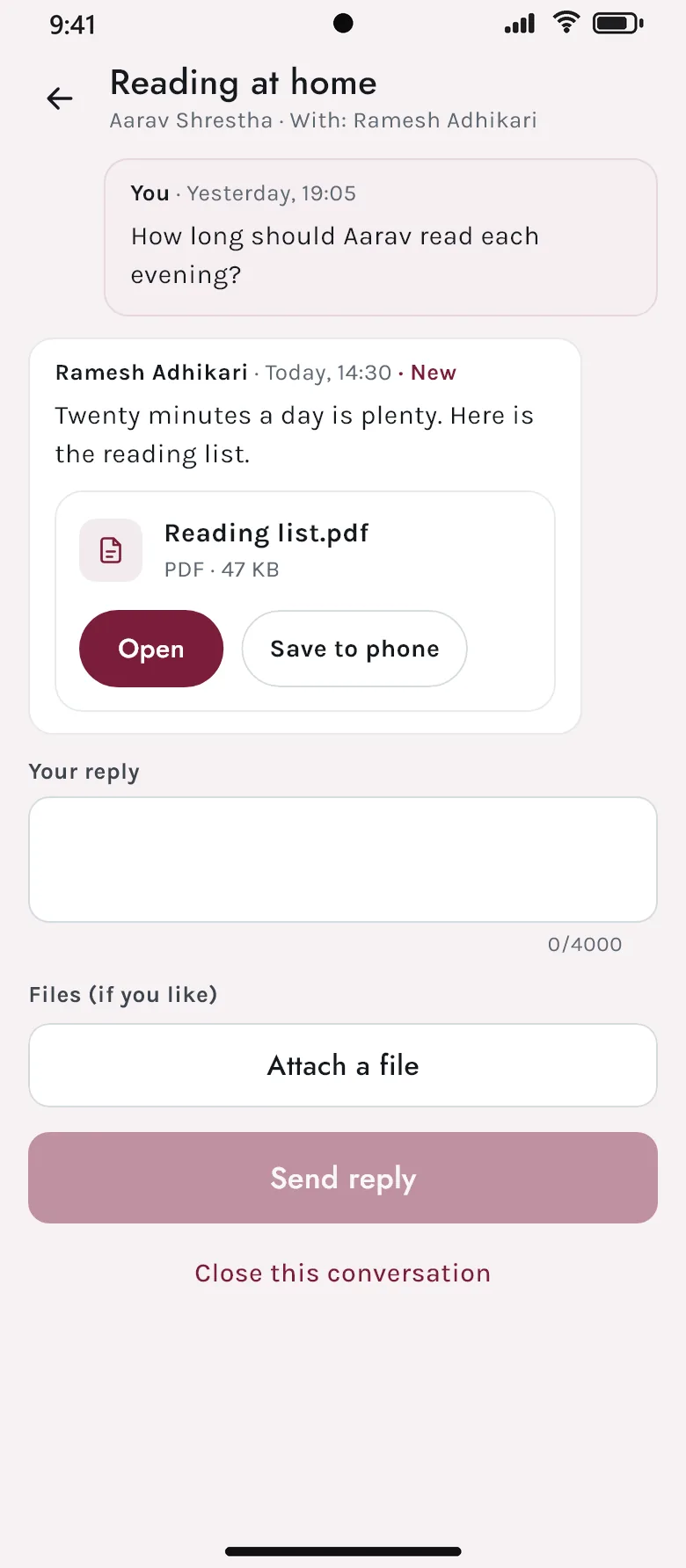
A parent writes to their child’s teachers or to one of the school’s desks — Administration, Accounts — and the conversation stays in one place, with files, until it is closed. Teachers answer from their phone.
- To a teacher, or to the school’s own desks
- Files and pictures in a conversation
- Unread counts on both sides
- Closed when it is settled
च · 05
An assistant that knows the school
Ask how many days of leave you have left, or how to schedule an exam with a practical part, and the AI assistant answers — from the school’s live data through fixed, read-only questions, and only what you are allowed to see. For how-to questions it answers from guides written for every page of the app.
- Answers from the school’s own data, within each person’s permissions
- Step-by-step help for every page — 140 guides
- The school chooses which AI service answers
- You
- How many days of casual leave do I have?
- Assistant
- 6 days left this year — you took 2.
- You
- How do I add a practical part to an exam?
- Assistant
- Open Exam Schedules — here are the five steps.
च · 06
Printed on the school’s letterhead
Every printed document — receipts, report cards, admit cards, gate passes, vouchers — carries one letterhead and footer, from designs the school chooses. Each document can go to its own printer, including thermal receipt printers that print Nepali text properly.
- One letterhead on every print
- Designs for each kind of document
- A printer for each document — thermal receipts too
- Devanagari printed correctly
- Receipts
- Front desk thermal · 80 mm
- Report cards
- Office laser · A4
- Gate passes
- Front desk thermal
- ID cards
- Card printer
Keep exploring
The rest of Akshara
See Akshara with your own school’s classes and fees
Bring your class list, fee structure or exam routine — we will show you the screens your office, teachers and parents would use, in Bikram Sambat and in rupees.